
Evaluations
How evaluations work
Evaluations are how development is tracked on SHOT Clubhouse. They are designed to build confidence, create consistency, and improve performance at every level of the game. They happen around each event — before, after, and from the coach — and the questions come directly from your team's framework, changing week by week.
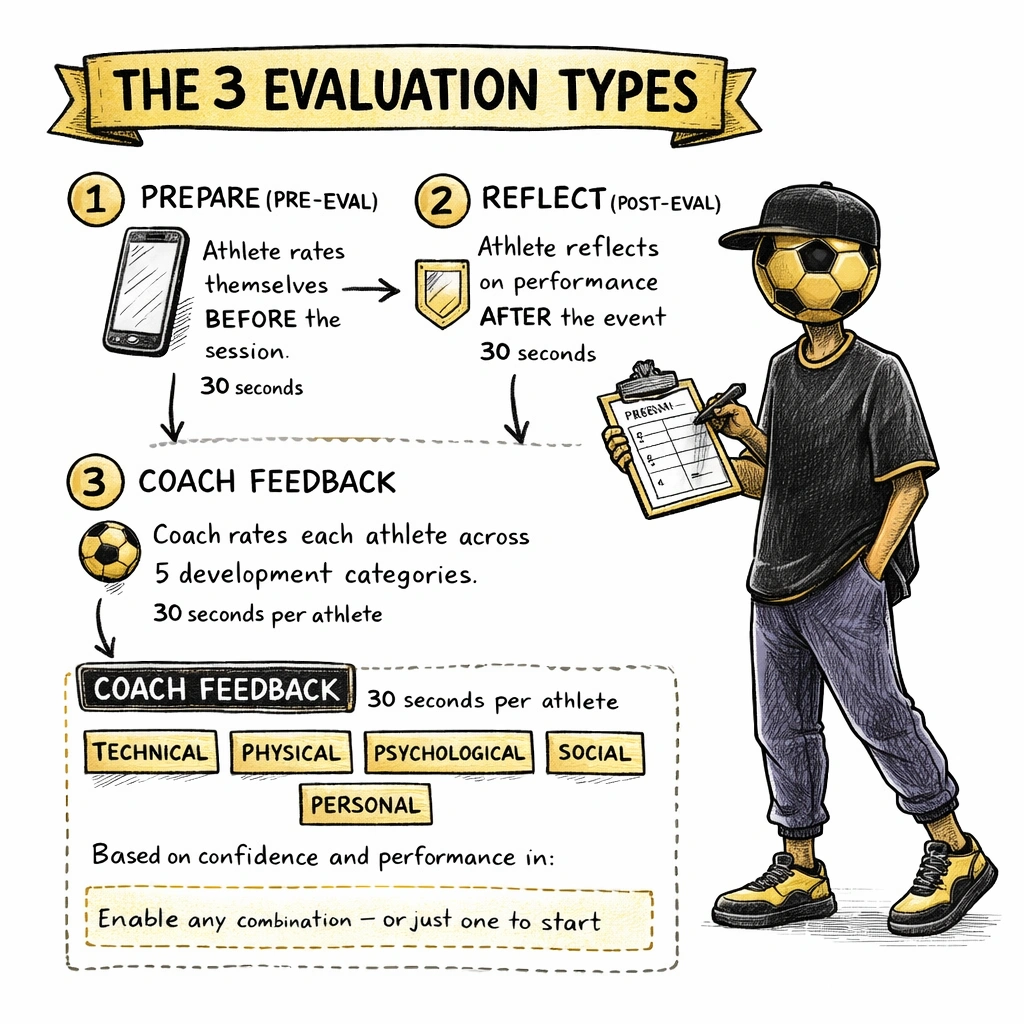
The three evaluation types
Each event can trigger up to three kinds of evaluation. You choose which to enable for your team.
Pre-Eval (Prep)
The athlete rates themselves before a session or match. Builds intention and sets their mindset heading into the event.
Completed by: Athletes
Post-Eval (Reflect)
The athlete reflects on how they performed after the event. Builds self-awareness and honest self-assessment over time.
Completed by: Athletes
Coach Feedback
The coach evaluates each athlete individually across the five categories and adds free-form Coach Notes. Visible to athletes (and parents for under-18s) once submitted.
Completed by: Coaches
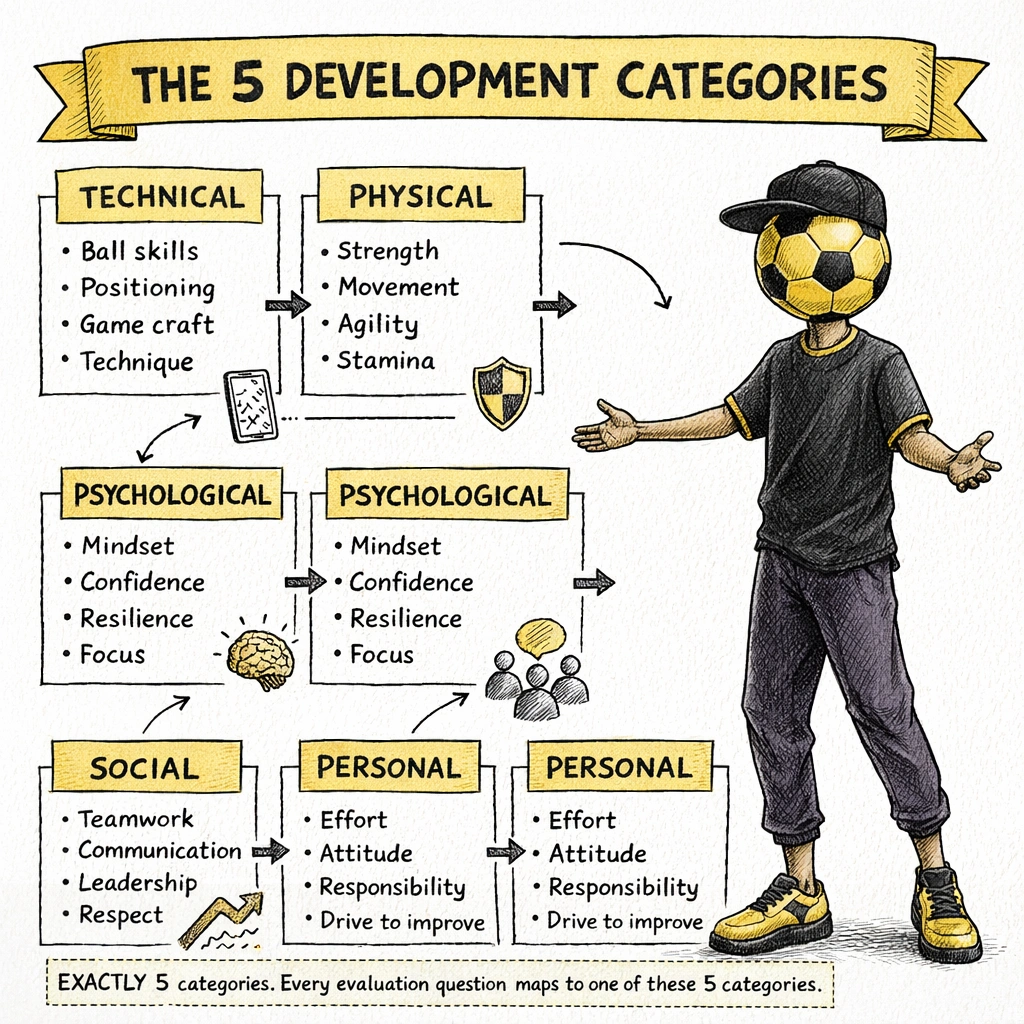
The five categories
Every question in every evaluation maps to one of five development categories. These categories are consistent across all frameworks and all sports.
The framework your team follows determines which specific question is asked within each category for a given week. The categories themselves never change.
How scores work
Each evaluation question is answered on a scale of 1 to 5. The score is recorded per category per event.
The average score
An athlete's average score (shown as a number out of 5 on their dashboard — for example, 2.4/5) is a rolling average across all completed Coach Feedback evaluations for the current period.
Strengths and Focus Areas
After each Coach Feedback evaluation, the app analyses the five category scores and automatically identifies:
Alongside Strengths and Focus Areas, the app pulls specific Development Focus Areas — actionable guidance pulled from the framework for that week, matched to the athlete's areas of development.
What coaches see
Coach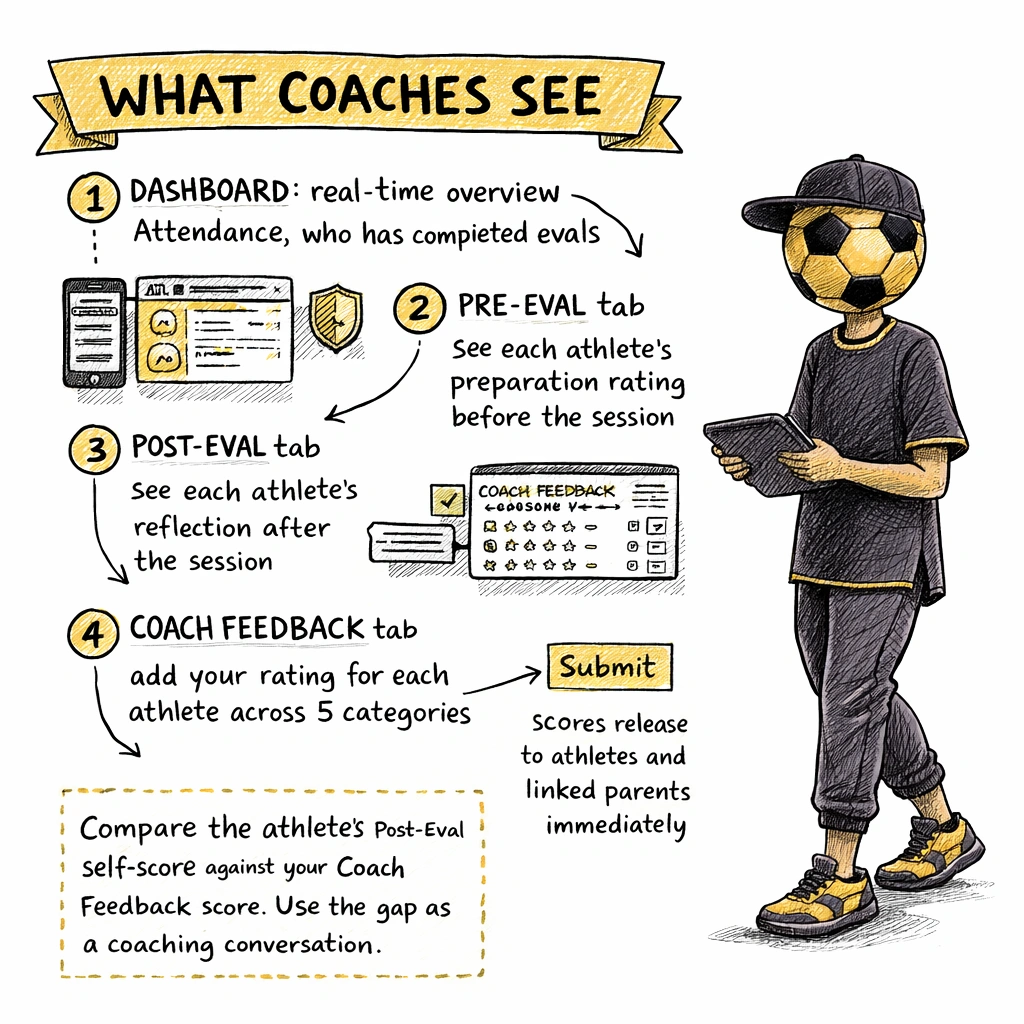
The coach's event dashboard has four tabs: Dashboard, Pre-Eval, Post-Eval, and Coach Feedback.
Dashboard tab
A real-time overview of the event. Shows total athletes on the team, attendance count (confirmed / total), pre-evaluation completion rate, and Coach Feedback completion rate.
Coach Feedback tab
This is where coaches complete evaluations. Each athlete is listed with status badges — Confirmed, Post, Coach — showing how far through the evaluation cycle each athlete is.
Tap an athlete's name to expand their evaluation view. The app shows:
What athletes see
Athlete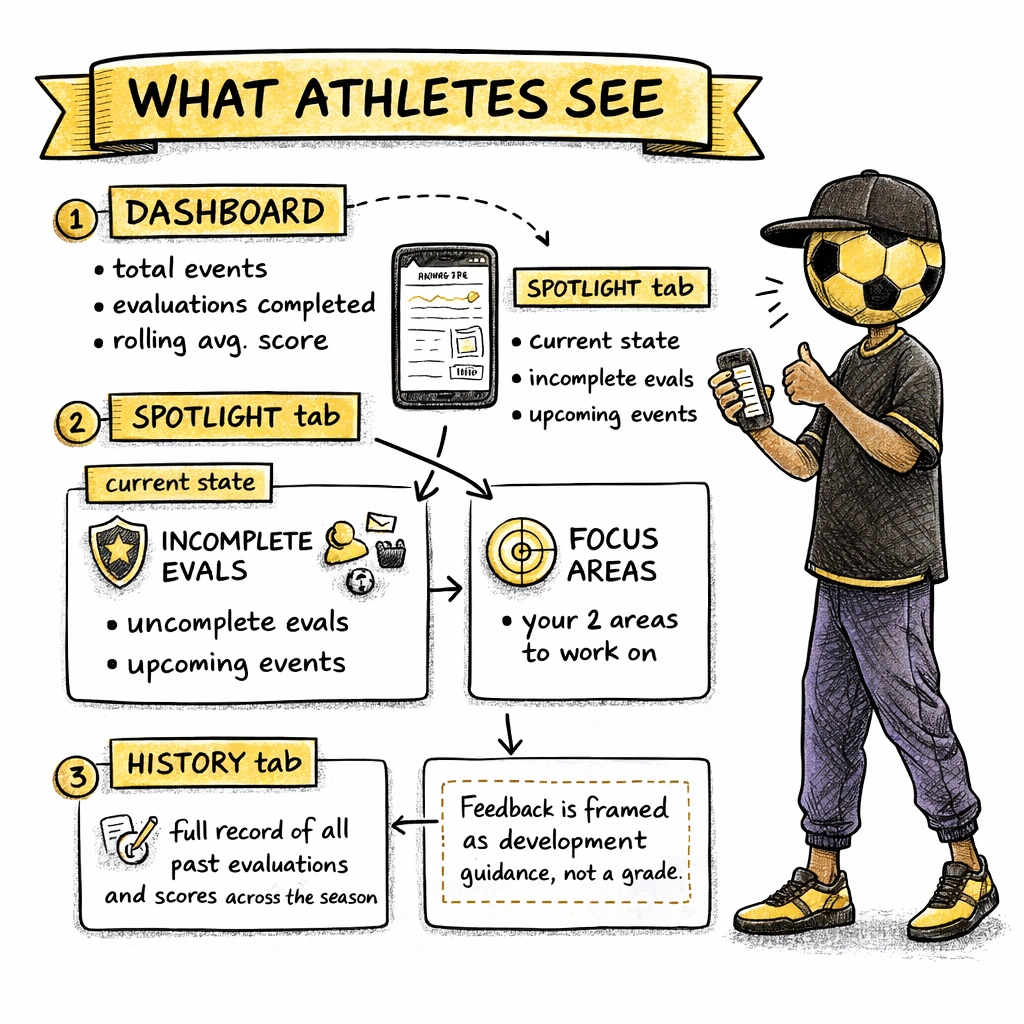
Athletes see their evaluations in the PERFORM tab. the athlete dashboard shows their total events, total evaluations completed, and average score.
Completing evaluations
When an event is published, the athlete's dashboard shows a Complete Your Evaluations prompt. Tap the event to complete the Pre-Eval before the session and the Post-Eval after. Both appear on the athlete dashboard until completed.
Viewing Coach Feedback
Once the coach submits feedback, the athlete sees a Coach Evaluation screen showing:
What parents see
ParentWhether a parent can see evaluations depends on the child's age group.
Enabling and disabling evaluations
CoachEach evaluation type — Pre-Eval, Post-Eval, and Coach Feedback — can be switched on or off independently from your team settings.
Go to the team admin screen and open team settings to change which types are active. Changes take effect from the next event you create.