Your Sport Head is your personal profile within SHOT Clubhouse. It is the record that clubs, coaches, and teams see when you join, and the place where your development history builds up over time.
Every person on SHOT Clubhouse has a Sport Head. It is your single identity across the platform — the profile that follows you when you join a team, receive coach feedback, follow a club, or move to a new team.
SHOT Clubhouse is built for three kinds of people, and a Sport Head serves all of them:
1
Those who coach and manage
Coaches, club administrators, and team managers. Your Sport Head is where you manage your teams, track your athletes' development, and build your coaching history.
2
Those who participate
Athletes and team members of any age and ability. Your Sport Head is where your evaluation history builds, your strengths are identified, and your development is tracked across the season.
3
Those who watch and support
Fans, parents, and supporters who follow clubs, check live scores, and stay connected to the teams and sports they care about. Your Sport Head is your fan identity on the platform.
You only need one Sport Head, regardless of how many teams you are part of, how many clubs you support, or how many sports you follow.
Where to find it
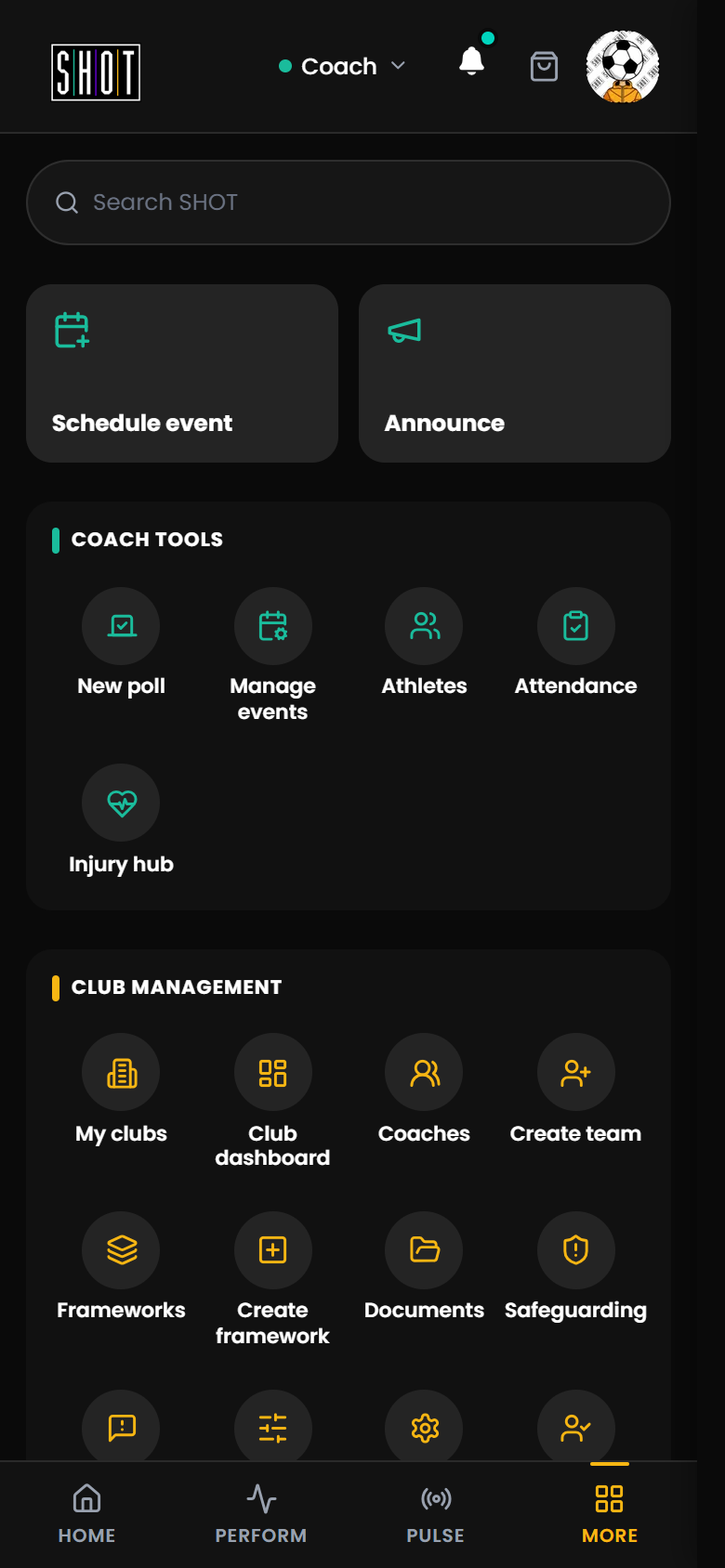
Your Sport Head is accessible from any screen in the app. Tap the avatar button (Open profile menu) in the app header, or open MORE and look under Me for My card and Edit profile.
The MORE menu: access your Sport Head profile, club administration, and role switcher.
Avatar button, top of the app. It sits in the app header in HOME, PERFORM, PULSE and MORE. Your account is also at MORE > Me.
Editing your Sport Head
1
Open MORE and choose Edit profile
Under Me. You can also tap the avatar button at the top of the app. My card shows your identity card; it is an identity card, not a membership or a credential.
2
Update your details
Change your name, profile photo and other details from here. Roles are gained by taking part (for example, creating a team or joining one), and you switch between them from the role label at the top of the app.
3
Save your changes
Updates are saved and visible to your clubs and teams.
What your Sport Head includes
Setting up your Sport Head
When you first create your account, you set up your Sport Head in two steps:
1
Choose your unique handle
Your handle is your identity on the platform — a unique username that protects your privacy. Other users see your handle rather than your full name in public-facing parts of the app.
2
Choose your unique avatar
Select an avatar to represent you across SHOT Clubhouse. Your avatar is visible on your profile and in team and community views.
Handle and avatar
Your unique username and visual identity across the platform. Your handle protects your privacy in public-facing views.
Sport and role
Which sport you are primarily involved in, and whether you are an athlete, coach, parent, or club admin.
Teams and clubs
Every team you belong to or manage is attached to your Sport Head and visible here.
Evaluation history
Your total events, completed evaluations, and performance scores across the season.
What it tracks
As the season progresses, your Sport Head builds a record of your development. This is visible in the PERFORM tab on your athlete dashboard.
For athletes
A
Total events attended
The number of training sessions and matches you have taken part in.
B
Evaluations completed
How many Prepare, Reflect and Coach Feedback evaluations have been recorded against your profile.
C
Average score
Your rolling average across all completed Coach Feedback evaluations for the current period, shown as a score out of 5 (for example, 2.4/5).
D
Strengths and Focus Areas
The five development categories — Technical, Physical, Psychological, Social, and Personal — where you are performing well and where you have room to grow.
Analytics. Your past events and how your scores have changed over the season are in the ANALYTICS tab in PERFORM. Analytics needs Premium; see what is free and what needs Premium.
For coaches
A coach's Sport Head tracks which clubs and teams they manage, and their full history of Coach Feedback submissions. This allows the app to show each coach a clear view of which evaluations are complete and which athletes still need feedback for a given event.
What's coming
What is live right now is your profile, your handle and avatar, your identity card, your team memberships, and your evaluation history. Anything not yet live is listed on the roadmap.
See the roadmap for what is being built and what is coming next for Sport Head and the wider platform.